Quick answer
How can a local shop start selling online?
A local shop can start selling online by setting up a WhatsApp Business catalogue, claiming its Google Business Profile, taking UPI payments and offering local delivery or pickup. Once orders grow, it can add its own website or list on a marketplace. Start small, track every order and build on what customers actually use.
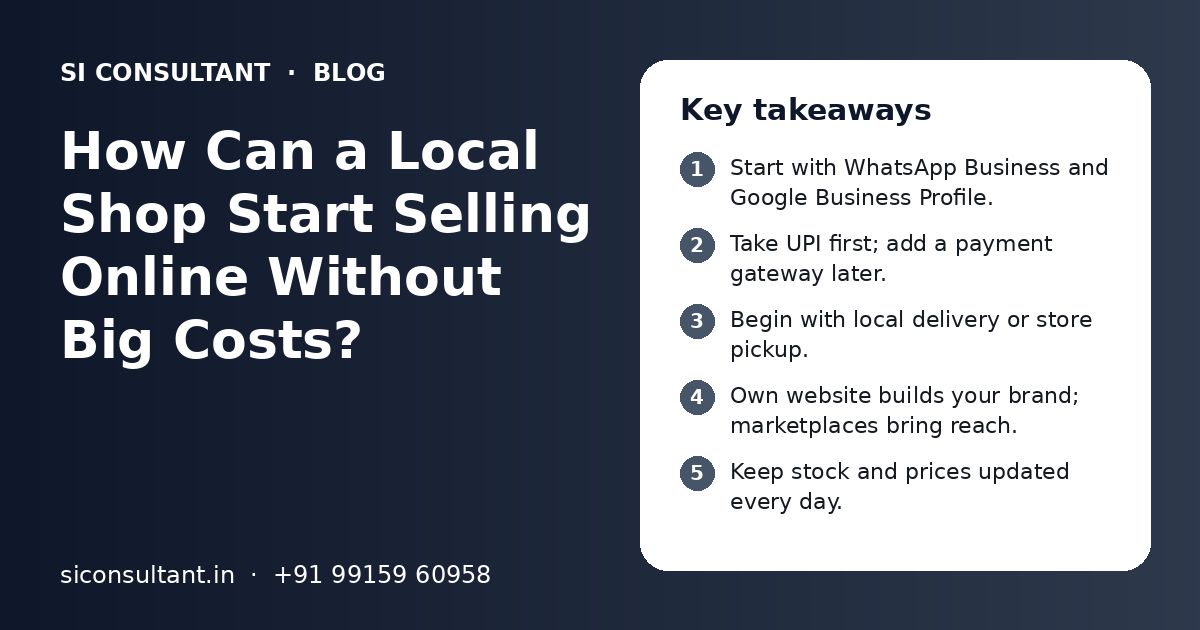
Key takeaways
- Start with WhatsApp Business and Google Business Profile.
- Take UPI first; add a payment gateway later.
- Begin with local delivery or store pickup.
- Own website builds your brand; marketplaces bring reach.
- Keep stock and prices updated every day.
- Ask your CA about GST before going wider.
How can a local shop start selling online, step by step?
A local shop can start selling online in a few simple steps: list your best products on WhatsApp, get found on Google, accept UPI and deliver nearby. You do not need a big budget or a large team to begin.
Many shop owners think selling online means building a large website on day one. It does not. The safest path is to start with the tools your customers already use, learn from the first orders and then add more.
- 1
Pick your first products
Choose 20 to 50 items that sell well, are easy to pack and do not break or spoil quickly.
- 2
Set up WhatsApp Business
Add your shop name, address, timings and a product catalogue with clear photos and prices.
- 3
Claim your Google Business Profile
Make sure your shop shows on Google Search and Maps with the right phone number and hours.
- 4
Decide how customers pay
Start with a UPI QR code and UPI payment links. Decide if you will accept cash on delivery.
- 5
Plan delivery and pickup
Fix a delivery area, delivery times and charges, or offer pickup from the shop.
- 6
Tell your customers
Share the catalogue with regular buyers, put a notice at the counter and add the number on bills and bags.
- 7
Track and improve
Note every online order in a register or sheet. After a month, see what sold and what customers asked for.
If you want a second opinion on where to start, our ecommerce consulting service helps small retailers plan this first stage.
How do you set up a WhatsApp Business catalogue for your shop?
Download the free WhatsApp Business app, create a business profile and add products to the catalogue with a photo, name, price and short description. Customers can then browse and send you an order in a chat.
WhatsApp is often the easiest first step for an Indian shop. Your customers already have it, and they trust a chat with a shop they know.
- Use your real shop name and a clear logo or shop photo
- Add address, map location, timings and a short description
- Take product photos in daylight on a plain background
- Write the price, size, pack quantity or variant for each item
- Group products into collections, such as snacks, home care or gifts
- Set a greeting message and an away message for after hours
- Save quick replies for delivery charges, payment and timings
- Use labels to mark chats as new order, paid, packed and delivered
If one phone gets too busy, you may later need the WhatsApp Business Platform with a shared team inbox. That is a step for when orders grow, not for day one.
Why is a Google Business Profile important for a local shop?
A Google Business Profile helps nearby people find your shop when they search on Google or Maps. It is free to create and is often the first place new customers see you.
When someone searches for a product with "near me", Google shows local shops on a map. A complete profile with photos, timings and reviews gives you a fair chance to appear there.
- Check that your shop name, address and phone number are correct
- Choose the right main category for your shop
- Add real photos of the shop front, inside and best products
- Keep opening hours updated, including festival and holiday timings
- Add your WhatsApp number or website link
- Post offers and new stock updates from time to time
- Reply politely to every review, good or bad
Ask happy customers to leave an honest review. Never buy fake reviews. They can harm trust and break Google's rules. For more help with being found online, see our SEO consulting service.
Own website or marketplace: which is better for a local shop?
For most local shops, the answer is to start with WhatsApp and Google, then choose based on your goal. A marketplace brings ready buyers but takes fees and control, while your own website builds your brand but needs effort to bring visitors.
| Point | WhatsApp and Google only | Own website | Marketplace (Amazon, Flipkart, Meesho and similar) |
|---|---|---|---|
| Setup effort | Low | Medium | Medium, with seller registration |
| Who are the buyers | Mostly local and repeat customers | People who find you or know you | Buyers across India already on the platform |
| Control over prices and look | Full | Full | Limited by platform rules |
| Fees | Very low | Hosting, domain, payment gateway charges | Commission and other platform fees |
| Customer data | You have it | You have it | Mostly with the platform |
| Delivery | You manage | You or a courier partner | Often handled or guided by the platform |
| Best for | Starting out, local orders | Building a brand and repeat sales | Wider reach for products that ship well |
When an own website makes sense
A website is useful when you have steady repeat customers, a clear product range and want orders that do not depend on one chat. It also helps people trust you. Platforms like Shopify or WooCommerce can work for a small shop.
When a marketplace makes sense
A marketplace suits products that ship well across India, such as packed goods, clothing, handicrafts or local specialities. Read the fee and return rules first. Our ecommerce marketplace consulting can help you compare platforms. The government-backed ONDC network is another option some sellers explore through seller apps.
Need help with your project?
Talk to the SI Consultant team. Free first call, simple advice, clear quote.
How should a local shop take payments online?
Start with UPI, using your shop's QR code and payment links, because almost every customer already uses it. Add a payment gateway later if you build a website or need card payments.
| Payment method | Good for | Watch out for |
|---|---|---|
| UPI QR code | Pickup orders and delivery at the door | Check the payment in your own app, not a customer screenshot |
| UPI payment link | Orders taken on WhatsApp or phone | Send links only from your official business account |
| Payment gateway | Website orders, cards and net banking | Setup steps, documents and gateway charges |
| Cash on delivery | New customers who want to see the product first | Refused orders and cash handling by delivery staff |
Fake payment screenshots are a common trick. Always confirm money has reached your account before you hand over goods. Keep a simple record of each order number, amount and payment status.
Pricing also matters. Online prices should cover packing and delivery costs. Our pricing strategy consulting helps you set prices that stay fair and still protect your margin.
How can a small shop manage delivery and returns?
Begin with local delivery by your own staff or a known delivery person, plus pickup from the shop. Add courier or shipping partners only when you start selling outside your area.
Local delivery basics
- Fix a clear delivery area, such as a few nearby sectors or colonies
- Set fixed delivery slots, such as morning and evening
- Decide a minimum order value or delivery charge
- Use clean, strong packing with the shop name and number
- Send a WhatsApp message when the order leaves the shop
Shipping to other cities
For orders outside your city, courier companies and shipping aggregator services can pick up from your shop. Compare pickup times, cash on delivery support and how they handle damaged parcels.
A simple return policy
Write a short return and exchange policy in plain words. Say which items can be returned, in how many days and in what condition. Put it in your WhatsApp catalogue description and on your website. A clear policy prevents most arguments.
What about GST and other basics before selling online?
GST and compliance rules for online selling can differ from selling only at the counter, especially on marketplaces. Speak to your CA before you list on a marketplace or ship to other states.
Most large marketplaces ask sellers for a GSTIN for most product categories. Selling to customers in other states can also change your GST position. Rules change from time to time, so take advice for your exact case instead of guessing.
- Speak to your CA about GST registration and invoices for online orders
- Keep a current bank account in the shop's name for payments
- Give a proper bill for every online order, as you do at the counter
- Check if your products need any special licence, such as for food items
- Keep a simple record of orders, payments, returns and refunds
Keeping these basics clean from day one saves trouble later, when orders and sales grow.
What mistakes should a local shop avoid when selling online?
The most common mistakes are starting too big, showing items that are out of stock and replying late. Most of these come from poor planning, not from the tools.
Do this
- Start with a small range you can serve well
- Update stock and prices every day
- Reply to messages within a fixed time
- Give one family member clear charge of online orders
- Review sales every month and adjust
Avoid this
- Building an expensive website before any online orders
- Listing on every app at once
- Different prices on WhatsApp, website and shop with no reason
- Blurry photos and missing prices
- Spending on ads without a way to track results
If you plan to run ads, set a small test budget first. Our guide to marketing budget planning explains how to split spend sensibly. A simple 90-day growth plan can also keep the online work on track.
How can SI Consultant help your shop start selling online?
SI Consultant gives shop owners a clear, practical plan for going online, based on your products, customers and time. We tell you what to do first and what can wait.
We can review your current setup, suggest the right mix of WhatsApp, Google, website and marketplaces, and help you plan payments, delivery and pricing. If you already have a website, a website audit shows what to fix before you spend more. Our digital consulting covers the wider picture.
SI Consultant is powered by Shivah Web Tech, with 11+ years of experience, a 25+ member in-house team and 500+ projects. We are a Shopify Partner, Google Partner and Meta Business Partner, and work Monday to Friday, 9:30 to 6:30 IST, from Mohali. Cost depends on the scope of work, so you get a clear quote after a free call. Contact us to book it.
Frequently Asked Questions
Can a small shop sell online without a website?
Yes. Many small shops start with only WhatsApp Business, a Google Business Profile and UPI payments. Customers browse the WhatsApp catalogue, place orders in chat and pay by UPI or cash on delivery. A website can come later, when you have steady online orders and want more control, a stronger brand and a smoother way to take orders.
Is WhatsApp Business free for shops?
The WhatsApp Business app is free to download and use for chats, a catalogue, labels and quick replies. It works well for a small shop run from one or two phones. The WhatsApp Business Platform, used for team inboxes and automated messages, works differently and has charges, so it is better kept for when your order volume grows.
Which is better for a local shop, Amazon or its own website?
It depends on your goal. A marketplace like Amazon gives you buyers across India but charges fees and controls much of the customer experience. Your own website gives you full control and customer data, but you must bring visitors yourself. Many local shops start with WhatsApp and Google, then add one of these once they know what sells online.
Do I need GST registration to sell online?
GST rules for online selling are not the same as for selling only at the counter, and they can change. Most large marketplaces ask sellers for a GSTIN for most product categories, and selling to other states can also matter. The safest step is to speak to your CA about your products, turnover and sales channels before you start.
How do I get my shop to show on Google Maps?
Create or claim your Google Business Profile, add the correct shop name, address, phone number and category, and complete the verification Google asks for. Then add real photos, opening hours and your WhatsApp number or website. Ask happy customers for honest reviews and reply to them. A complete and active profile helps nearby searchers find you.
How much does it cost for a local shop to start selling online?
The first steps can cost very little, because WhatsApp Business, a Google Business Profile and UPI are free or low cost to start. Costs rise with a website, payment gateway, photos, packing, delivery and ads. The right setup depends on your products and goals, so you get a clear quote after a free call with our team.
How do I stop fake payment screenshots from customers?
Never treat a screenshot as proof of payment. Always check that the money has reached your account in your own UPI or bank app before you hand over goods. Use a sound box or payment alerts at the counter, and give delivery staff a simple rule: confirm with the shop on call before leaving goods for unpaid or unclear orders.